
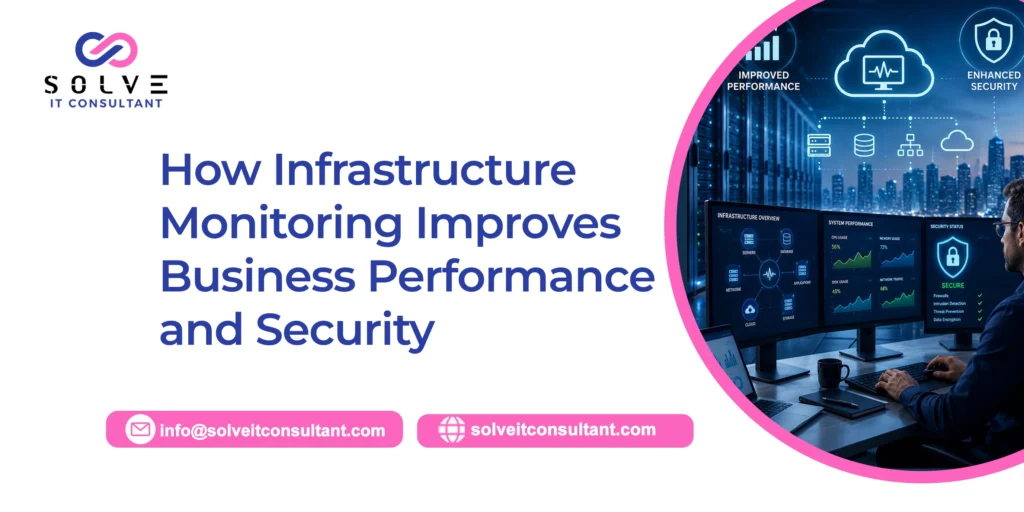
Modern businesses lean hard on IT infrastructure to run their day-to-day operations, customer touchpoints, data handling, apps, and even internal messaging. Servers, networks, cloud platforms, databases, and business applications really need to work steadily so everything doesn’t stall. If infrastructure issues go unnoticed, they can quietly cause downtime, reduce employee productivity, create security vulnerabilities, and lead to real financial losses.
Infrastructure monitoring basically helps organizations keep watching the health and overall performance of their IT setup continuously. It gives real-time visibility across servers, networks, applications, storage, and other important systems. When teams spot warning signs early, they can react before those small technical headaches somehow grow into larger disruptions and become a big headache for everyone.
Along with boosting operational efficiency, infrastructure monitoring has a meaningful cybersecurity angle too. It lets IT teams see strange behavior, unexpected system failures, unauthorized login attempts, and odd performance changes. This article will talk about how infrastructure monitoring supports business performance and security and why it has become one of those essential pieces of modern IT management today.
What Is Infrastructure Monitoring?
Infrastructure monitoring is the practice of continuously observing and analyzing the performance, availability, and health of an organization’s IT systems. That can cover physical servers, virtual machines, cloud infrastructure, networks, databases, business applications, storage devices, and other linked resources.
The main purpose of infrastructure monitoring is to give IT teams a sort of clear view of what’s going on across patterns and environments, basically. Instead of waiting for employees or customers to report an issue, IT teams can see warning signs early. Like, a monitoring system might notice unusually high CPU consumption, low disk space, network delay, or repeated application troubles.
That forward-leaning style helps businesses cut downtime and reach a stronger level of dependability from their technology systems. It also gives IT professionals a path to trace infrastructure patterns and then make sharper calls about upgrades, capacity planning, and safeguards. And because IT setups keep getting more intricate, continuous monitoring becomes more meaningful for keeping business operations steady, and it tends to help in general.
1. Cuts Downtime and Stops Business Interruptions
One of the biggest advantages of infrastructure monitoring is how it can reduce surprising outages. Business routines can take a real hit when servers, applications, networks, or cloud services suddenly go dark. Even a quick interruption can block employees from reaching the tools they need, and it may also affect customers in a negative way, especially if it hits at the wrong time.
Monitoring tools can detect performance problems before they turn into a full system failure. For example, if a server is getting tight on storage or showing unusually high resource load, the IT team can receive an automatic alert. That gives them the chance to check things out and resolve the matter before the server becomes unavailable.
By spotting issues early, companies can maintain better system availability and keep day-to-day operations more or less continuous. Employees can keep moving on their tasks without random interruptions, and customers end up with more dependable digital services. When downtime is cut, businesses also tend to dodge the financial pressure and the reputational knock that often comes with service outages.
2. Boosts Employee Productivity
A steady IT foundation matters a lot for employee productivity. If systems are sluggish or they’re unavailable too often, people can end up waiting around for apps to open, or they keep reporting technical problems, which is a hassle for everyone. These little breaks in routine can slow collaboration, weaken customer service, and decrease overall efficiency across the organization.
Infrastructure monitoring helps IT teams pinpoint the real cause of performance issues much earlier. Instead of checking several places at once, teams can lean on centralized monitoring information to see whether the trouble sits in the network, server, application, or some other part of the infrastructure chain.
When problems are recognized sooner, they’re usually fixed sooner too, and employees are disrupted less. IT teams can focus on repairing the actual fault rather than wasting hours searching for it. In the end, employees get to rely on the technology more consistently, and they can spend more time on meaningful work, instead of chasing glitches.
3. Makes Proactive IT Management Possible
Classic IT maintenance is frequently reactive, like handling a situation only after it already affected end users. Infrastructure monitoring flips that mindset by helping organizations detect potential concerns before they turn critical. This way, IT teams can shift from troubleshooting at the last moment to proactive system stewardship.
For example, the monitoring data can show that a database is slowly, kind of, approaching its storage ceiling or that the network traffic is climbing beyond the usual baseline. Those warning cues give IT teams an opening to respond early, like adding capacity, fine-tuning resources, or checking out anything odd with behavior.
A proactive IT approach can help lift reliability and also the long-run performance of the entire technology landscape. Companies can plan maintenance and upgrades using real system signals instead of waiting until hardware or applications start failing. In this way, it can reduce last-minute patching and make IT operations steadier, plus easier to anticipate.
4. Helps Spot Security Threats Early infrastructure
Monitoring is also a central piece in a strong cybersecurity program. Security incidents often create strange patterns across an IT environment, like sudden network activity, repeated login failures, unauthorized access attempts, or unusual consumption of resources. Monitoring helps bring those red flags into view before they morph into something larger
Once suspicious activity is detected, automated alerts can ping the right IT or security team. That lets the organization dig into what’s happening and respond more quickly. Early detection means the potential threat is less likely to stay hidden for a long time in the environment.
Even if infrastructure monitoring is not a substitute for dedicated cybersecurity tools and processes, it still delivers meaningful visibility into how systems actually behave. When it’s paired with firewalls, endpoint protection, access controls, vulnerability management, and security monitoring, it can support a more resilient overall security stance.
5. Provides Near-Real-Time Visibility Across IT Systems
Most modern companies run a mix of on-premises infrastructure, cloud services, distributed endpoints, and third-party platforms. Trying to manage all of that without real visibility can get messy. Infrastructure monitoring gives a centralized, kind of panoramic view of the organization’s technical landscape.
IT teams can rely on dashboards to see key signals like server performance, network availability, application response latency, storage capacity, and overall system health. With that in place, it is easier to judge what’s happening right now across the environment and also spot the areas that need attention before things escalate.
This near-real-time visibility also helps IT teams coordinate more cleanly with business decision-makers. Instead of “thinking” or guessing, teams can point to measurable evidence to discuss performance trouble or justify infrastructure needs. As a result, decisions tend to be quicker and more grounded in fact, not vibes or estimates. Check out our latest blog post on System Management vs Reactive IT Maintenance: Which Saves More Money?
6. Enhances Application Performance and Customer Experience
Customers now expect websites, mobile apps, and online services to be quick, stable, and basically always on. When applications feel sluggish, or outages happen unexpectedly, people get annoyed. And yeah, that can push customers to a competitor, not just complain and stay. Infrastructure performance directly impacts what customers actually experience.
Infrastructure monitoring helps organizations follow the systems that power customer-facing applications. If an app slows down because the database is choking, a network link is failing, or a server is overloaded, monitoring tools can help IT teams narrow down the cause, fast and more accurately.
Best Practices for Effective Infrastructure Monitoring
Businesses should start by figuring out which systems are most critical and defining what “normal” performance looks like. Not every alert needs immediate attention, so monitoring thresholds should be set carefully, and it helps to avoid overreacting. When thresholds are too sensitive, it can create alert fatigue, and then it becomes harder for IT teams to spot the real trouble.
It is also smart to use centralized dashboards whenever you can. Having one view of infrastructure health makes it easier for teams to grasp how things relate and respond more quickly during an incident. In general, automated alerts should be prioritized based on the likely business impact of the issue, because not all signals mean the same urgency.
Finally, monitoring should be reviewed and improved on a steady basis. As businesses bring in new applications, expand cloud platforms, and adopt security technologies, their monitoring needs often shift. Regular refinements help the approach keep supporting both day-to-day performance and security objectives, even as the environment changes.
Common Mistakes Businesses Should Avoid
One frequent mistake is monitoring too many metrics, without really knowing which ones drive business operations. Gathering huge volumes of data is pretty useless if IT teams cannot spot meaningful patterns or decide what action to take. In practice, businesses should target indicators that support performance, availability, protection, and customer experience.
Another misstep is leaning only on alerts and skipping historical analysis. Long-term monitoring trends can uncover repeating issues or capacity limits that might not show up through a single alert. Regular reporting and deeper review matter, because that’s where improvement opportunities usually appear.
Businesses should also avoid treating infrastructure monitoring as a one-time implementation. Technology environments, they change continuously, and monitoring configurations should keep evolving along with them. Regular reviews, updated thresholds, and clear incident response processes really are essential so the monitoring strategy stays effective over time.
Conclusion:
Infrastructure monitoring plays a critical role in both boosting business performance and tightening cybersecurity. It helps organizations get live insight into servers, networks, applications, cloud resources, and those other key systems that kind of run everything. Contact us as When issues are spotted early, companies can reduce downtime, raise employee productivity, smooth out customer experience, and end up making more grounded technology decisions, not just guesswork.
On the security side, monitoring can bring unusual activity into view, and it also adds helpful context while investigating incidents or doing incident response. And when monitoring is tied into a wider cybersecurity strategy, it really strengthens an organization’s capacity to recognize potential risks and handle them before they grow too big.
As businesses become more and more dependent on digital technology, proactive infrastructure monitoring is no longer only an IT responsibility. It has turned into a business strategy; it supports operational resilience, cost efficiency, customer satisfaction, and even stronger security.